

Export Styleframe Design Tokens to Figma and Back
Sync your design tokens between Figma and code. Import and export W3C DTCG format JSON with full multi-mode support for light and dark themes, completely free.
A First-Class Token Synchronization Layer
Your code is your source of truth. Export it to the industry-standard Design Tokens Community Group format. Compatible with Figma, Style Dictionary, Tokens Studio, and other tools.
Code-First Architecture
Your Styleframe config is the single source of truth. Define tokens in TypeScript, export to Figma. When code changes, designers stay in sync.
Type-Safe Tokens
Full TypeScript support means autocomplete, refactoring, and compile-time errors. Catch token mismatches before they reach production.
Multi-Mode by Design
Light, dark, and custom themes are modeled using DTCG modifiers. Modes remain explicit, structured, and code-friendly.
True Bidirectional Sync
Import DTCG tokens into Figma or export Figma Variables back to JSON. Both directions preserve structure, aliases, and semantics.
Automation-Ready
Export tokens from code via CLI for CI/CD, reviews, and version control. Built for modern developer workflows.
Free Forever
No subscription. No seat limits. The CLI and Figma plugin are free and open source. Your design system, your rules.
Import Design Tokens into Figma
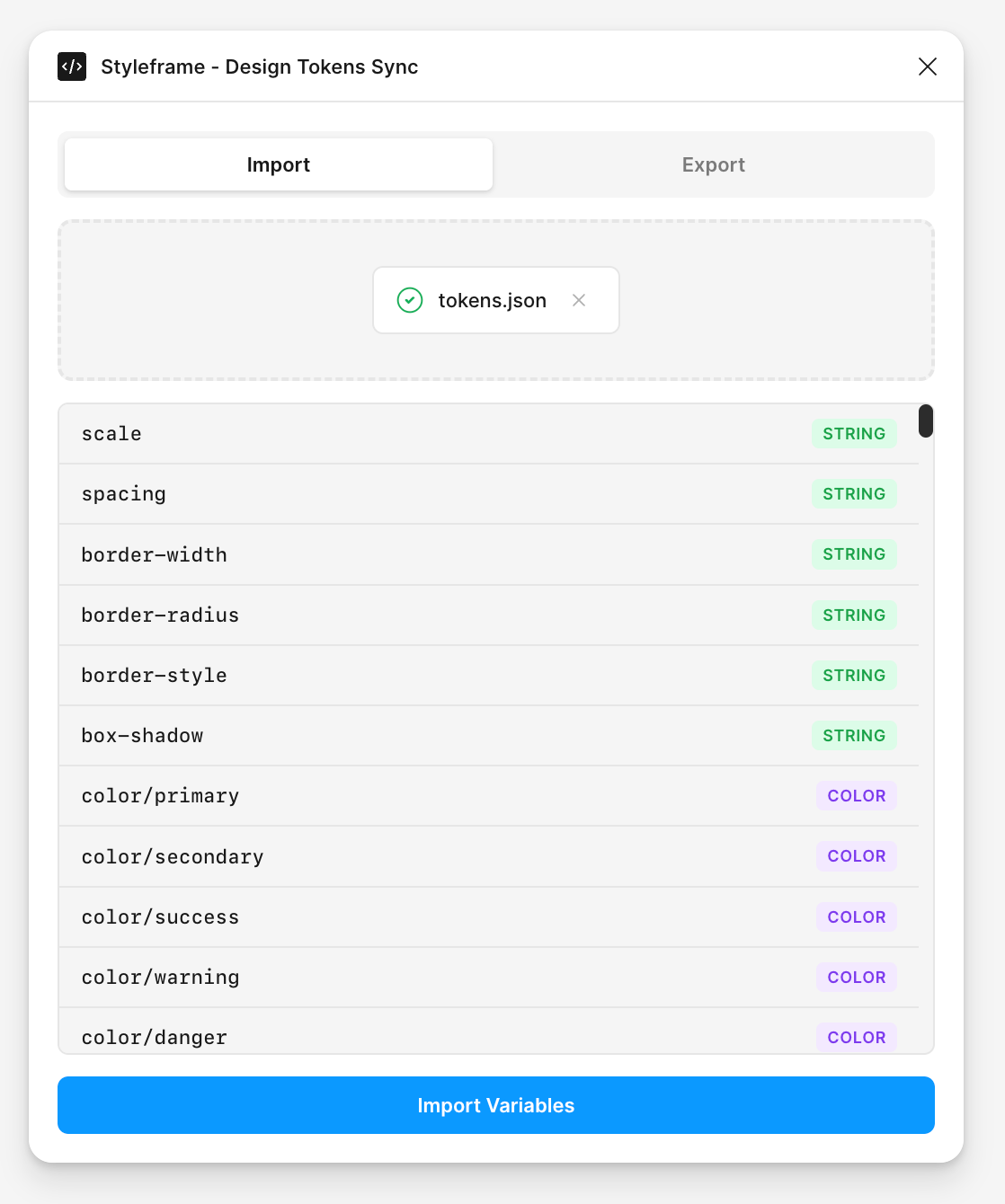
Drop a Styleframe DTCG JSON file into the plugin. Preview variables and modes before importing, then create a Figma variable collection with one click. All types mapped correctly.
Drag & Drop
Drop your tokens.json file into the plugin. Preview everything before committing to the import.
Auto-Create Collections
The plugin creates Figma collections with modes for Light, Dark, and any custom themes defined in your tokens.
Type Validation
Color, dimension, number, and string types are validated before import. Invalid tokens are flagged, not silently dropped.
Export Figma Variables to Styleframe
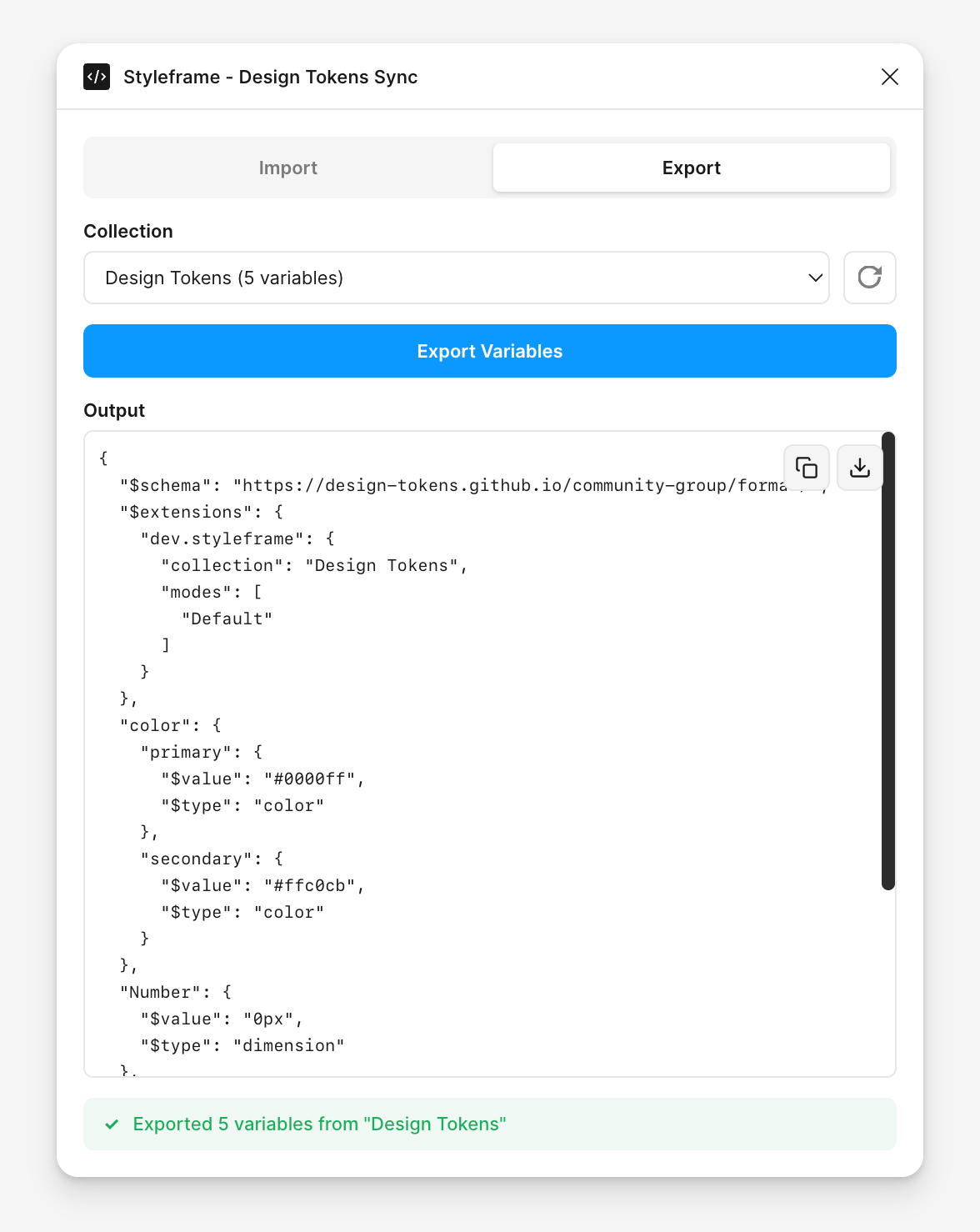
Select a Figma variable collection and export it to the Styleframe W3C DTCG format. Copy the JSON or save it as a file. Aliases are preserved as proper token references.
One-Click Export
Select a collection, click export. The plugin handles type conversion, alias mapping, and mode organization automatically.
Clipboard Ready
Copy the generated JSON directly to your clipboard. Paste into your codebase or save as a file for version control.
Reference Syntax
Variable aliases become DTCG references ({token.path}). Token relationships are preserved across every export.
Developer Workflow
Automate with the CLI
Export design tokens directly from your Styleframe config. Run in CI/CD pipelines to keep Figma tokens in sync with every code change. No manual exports, no drift.
Git-Integrated Workflow
Export tokens on every commit. Track changes in version control alongside your code. Review token updates in pull requests.
CI/CD Ready
Add the export command to your build pipeline. Automatically sync tokens from your Styleframe config to Figma-compatible format.
Terminal
# Export Styleframe variables to Figma-compatible format
npx styleframe figma export \
        --config styleframe.config.ts \
        --output tokens/ \
        --collection "Design Tokens"

# Output:
# Loading configuration from "styleframe.config.ts"...
# Building DTCG document...
# Flattening to Figma-compatible format...
# Wrote "tokens/Default.tokens.json" (450 tokens)
# Wrote "tokens/Dark.tokens.json" (450 tokens)
# Exported 450 tokens as 2 Figma-compatible mode file(s)
Sync Design Tokens to Figma in Minutes
Install the Figma plugin, export your Styleframe config, and sync your design tokens. No subscriptions, no setup complexity.